Features
Everything You Need to Create Stunning Stream Visuals
Two powerful apps working together - a realtime 3D rendering engine and a visual scripting controller. No coding required.
The Main App
A Realtime 3D Engine Built for Creators
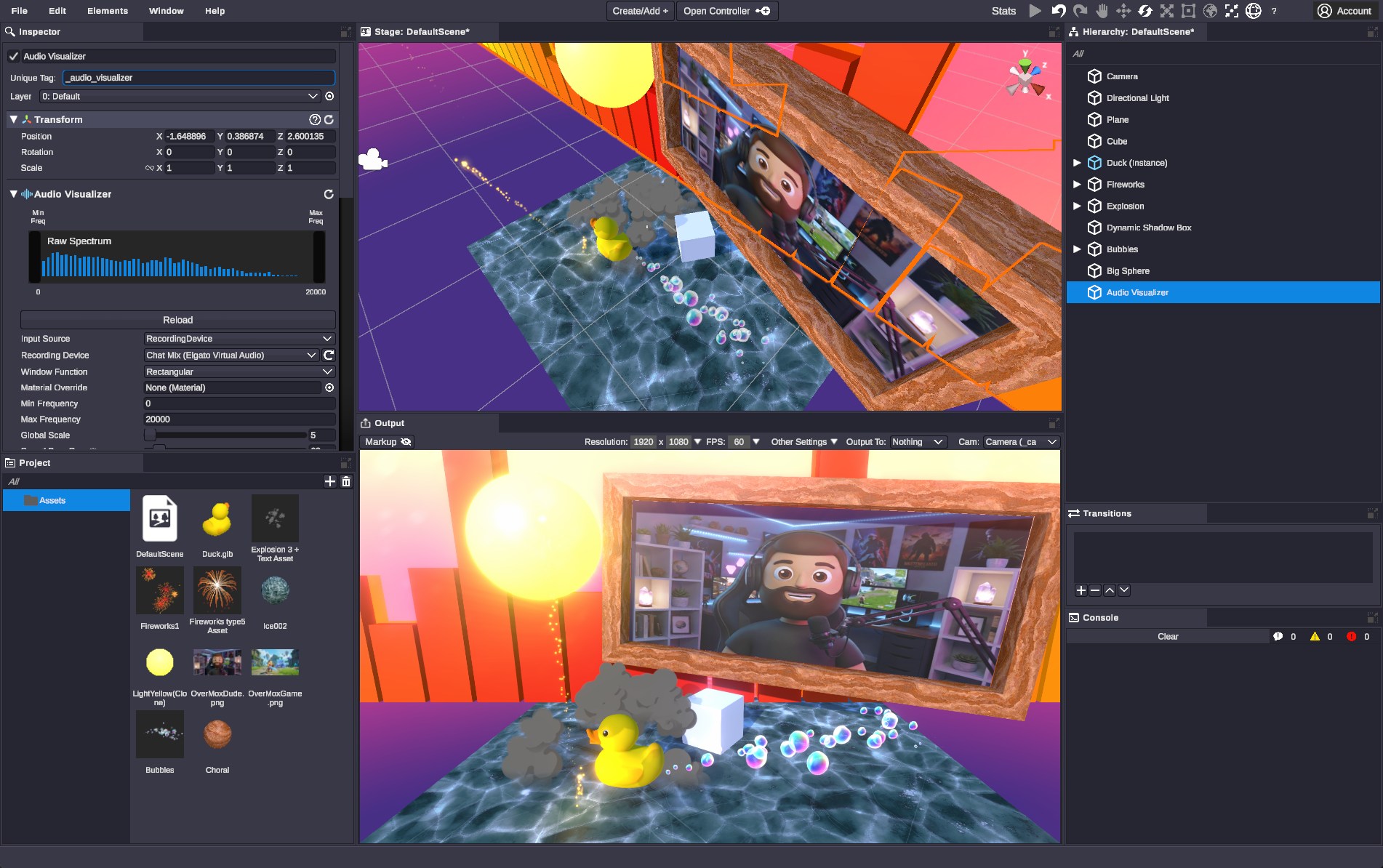
The OverMox™ app is a realtime 3D rendering engine purpose-built for stream overlays. Think of it like a lightweight game engine for creators.
3D Scene Building
A full 3D engine, purpose-built for streams.
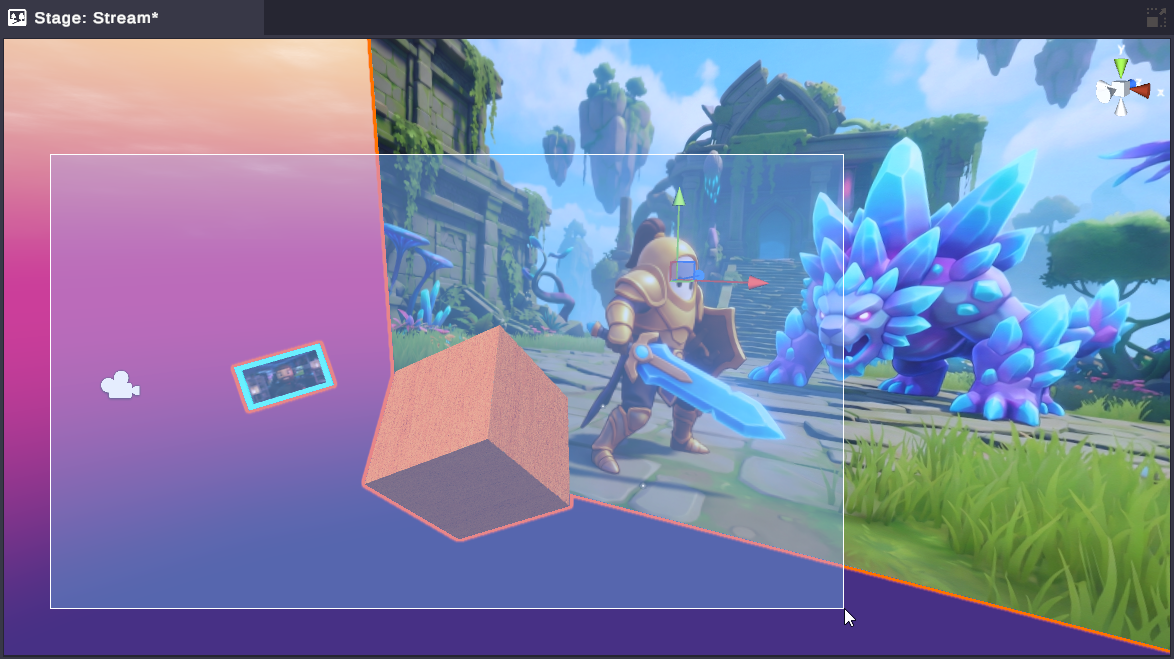
Add 3D objects, physics bodies, particle systems, and dynamic lighting to build scenes that feel alive. Drag and drop to compose your layout - position, rotate, and scale everything in real time. This isn't a template tool. It's a real engine that gives you complete creative control.
Import & Capture
Your models. Your cameras. Your entire desktop.
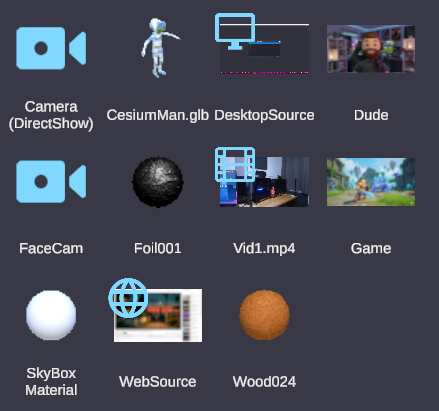
Import 3D models, images, video, audio, PBR materials, and animated GIFs directly into your project. Capture live feeds from webcams, capture cards, NDI streams, Spout sources, individual windows, or your full desktop. Embed web pages as interactive textures. Everything you bring in becomes part of your 3D world.
Mesh Effects
Drape fire, ice, or magic over any object.
Right-click a mesh in your scene, pick an effect from the Asset Catalog, done. 21 shader-driven mesh effects ship built-in ( flames, frost, lightning, gold, holographic scanlines), all wrapping precisely to the object's surface. See the full guide →
Asset Catalog
Hundreds of materials, skyboxes, and effects. Ready to go.
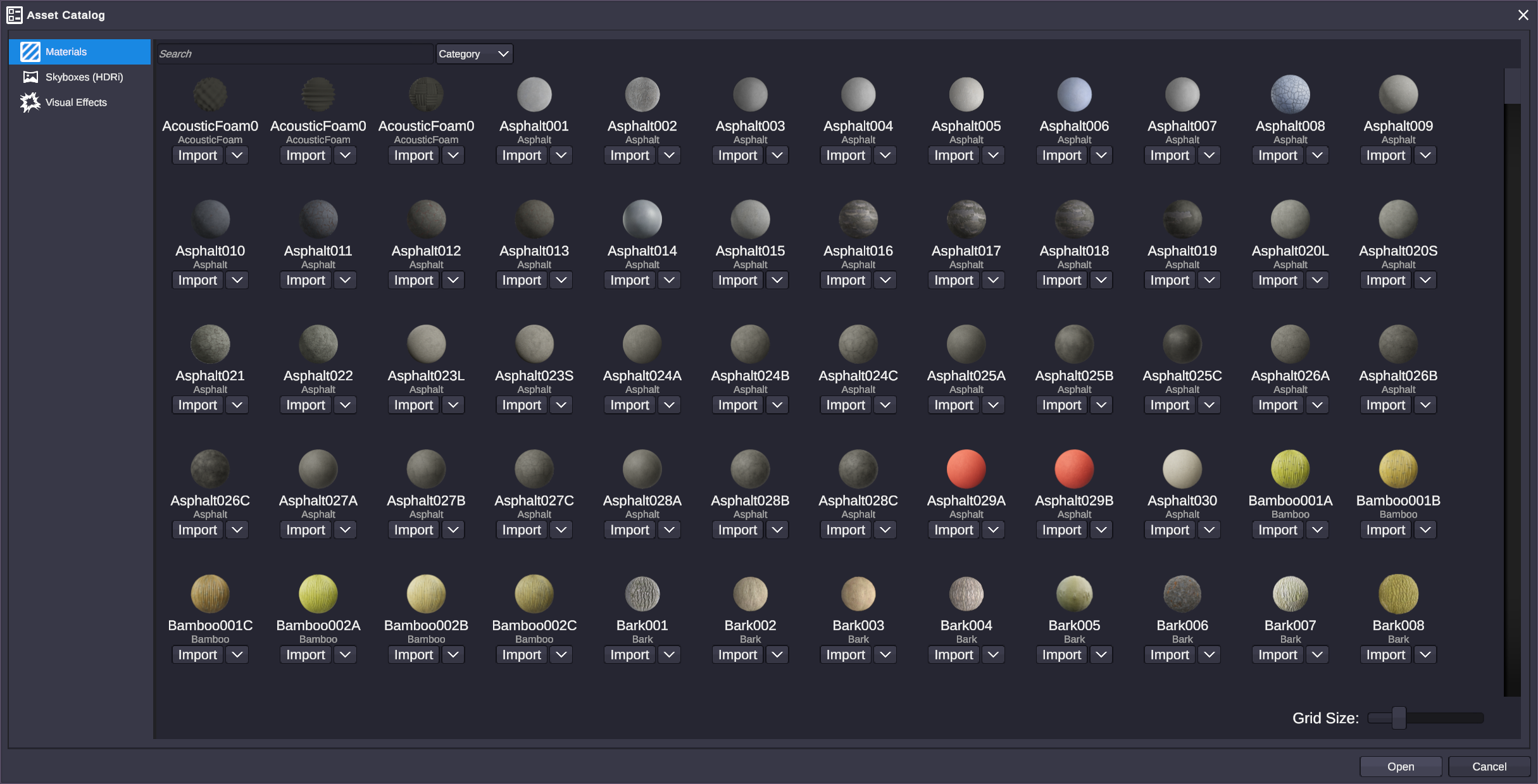
Browse and import from the built-in asset library. PBR materials, HDRi skyboxes, and visual effects to jumpstart your scenes. No need to source assets from third parties - everything you need is already inside OverMox.
Filters & Effects
Professional post-processing, in realtime.
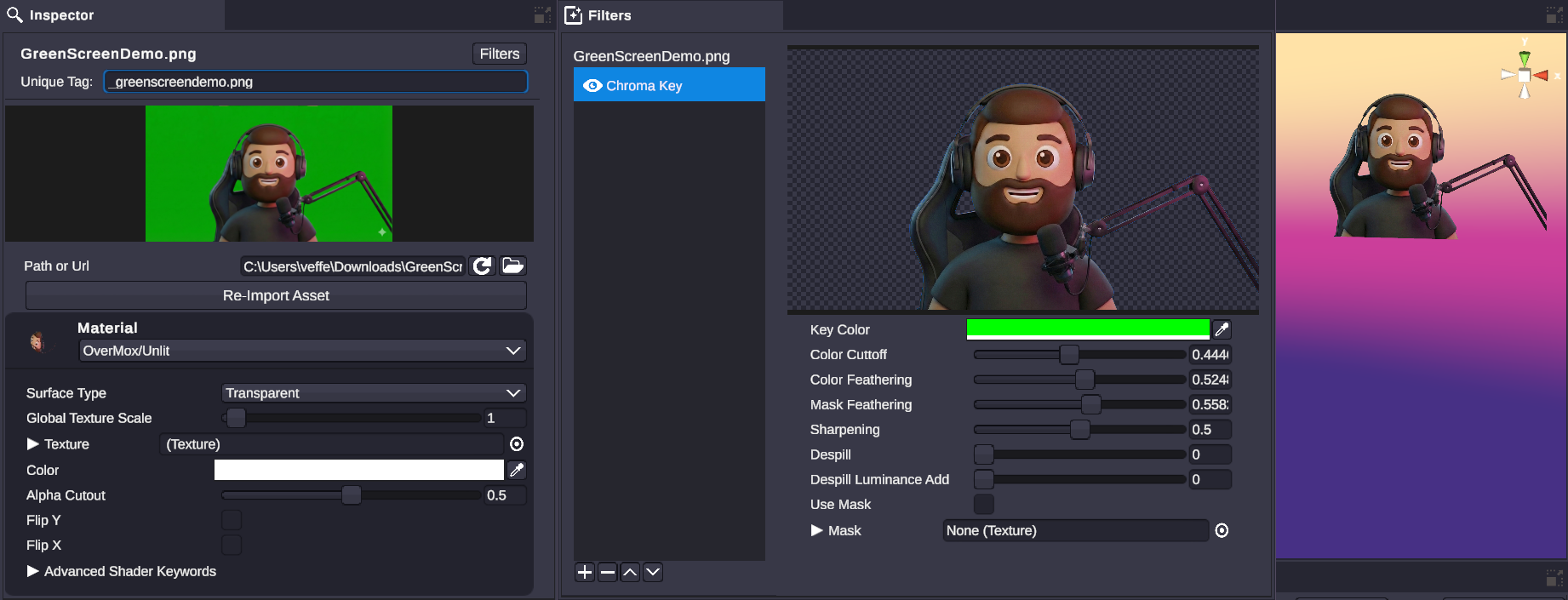
Chroma key, blur, color correction, bloom, and more. Apply post-processing effects to any object in your scene. Remove green screens, add cinematic depth-of-field, or create stylized color grades - all rendered live during your stream.
Full Scene Control
Every property at your fingertips.
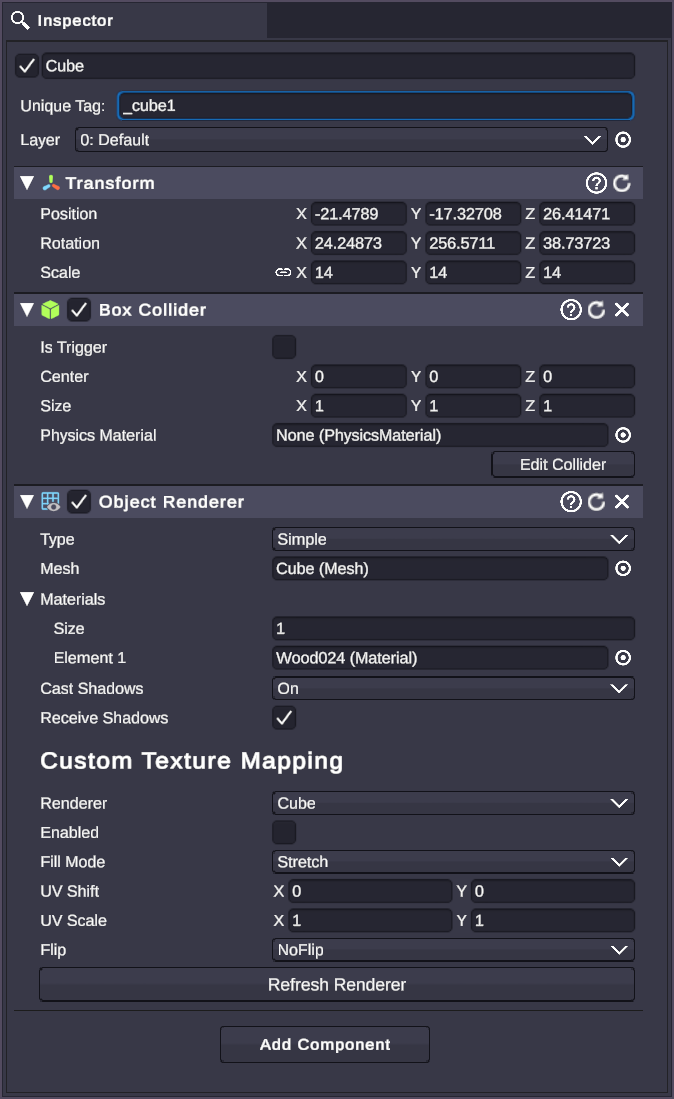
Inspect and edit any object with the detailed inspector panel. Organize scenes in the hierarchy tree. Layer management, output configuration, capture devices - everything you need to manage complex scenes is built right in.
Transitions
Stinger transitions that actually look professional.
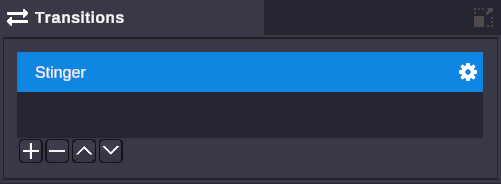
Create smooth stinger transitions between scenes using masked video files with side-by-side or stacked layouts. Bring your own videos and dial in timing, track mattes, and orientation. Or go beyond video - use the Controller to choreograph 3D objects and physics into transitions no one else has. Your scene switches become part of the show.
Plus: Output configuration · Layer management · Variables · Capture devices · Project management
Explore the DocsThe Controller
Visual Scripting That Brings Scenes to Life
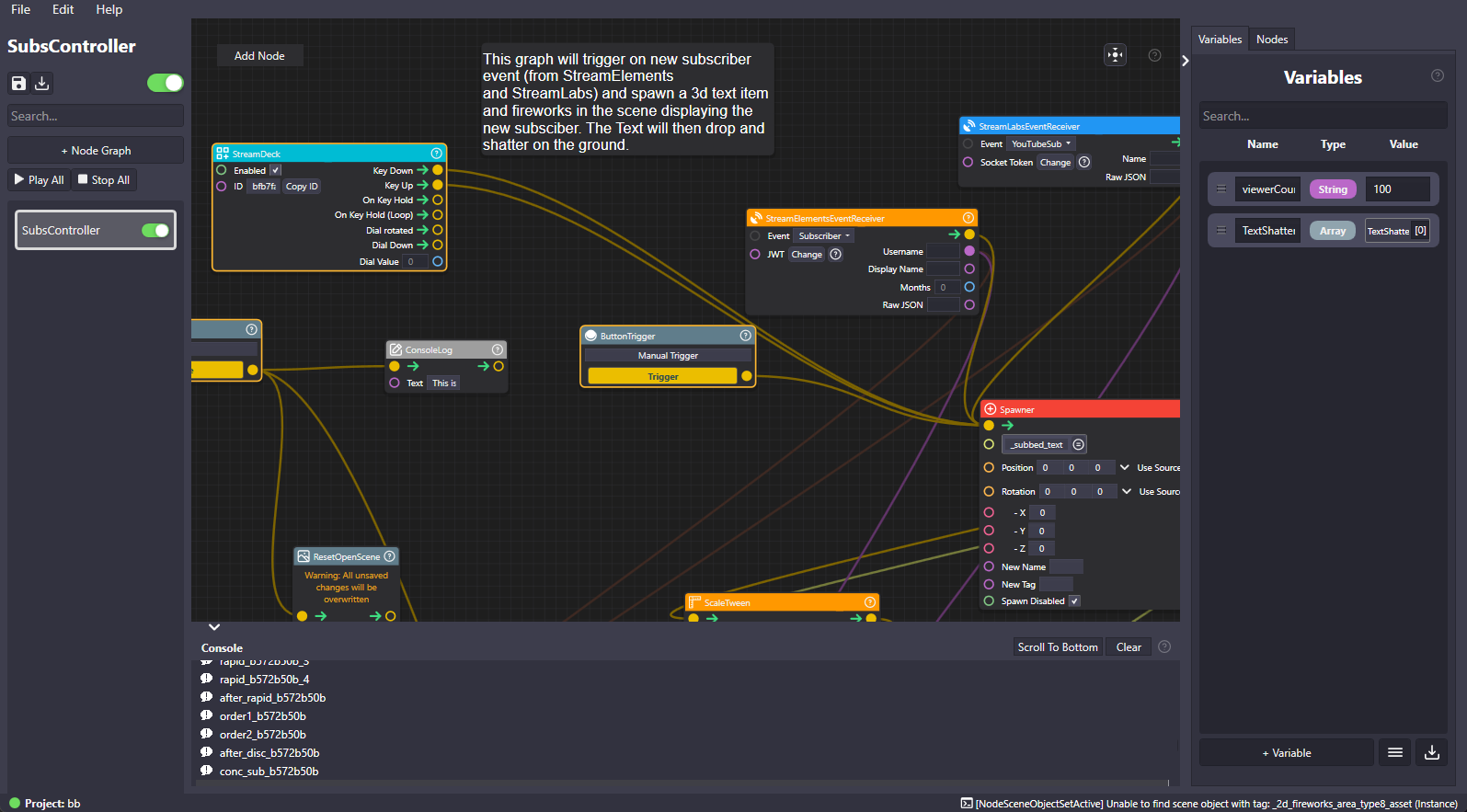
A node-based visual scripting tool that connects to the main app. Design complex behaviors by connecting nodes - no coding required.
The Controller
Design complex behaviors without writing a line of code.
Imagine this: when someone subscribes on Twitch → trigger a 3D animation with physics properties. That's the Controller. Node-based visual scripting that connects triggers to actions. Chain logic together and create interactive experiences that respond to your audience in real time - no coding required.
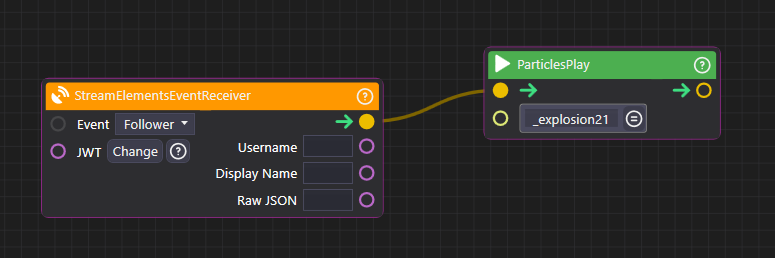
20+ Node Categories
From audio to web APIs, every tool is a node away.
Animations, triggers, flow control, math, text, hardware, and more. Every category is designed for the way creators actually work - connect inputs to outputs, build logic visually, and watch your scenes react to everything from stream events to keyboard shortcuts.
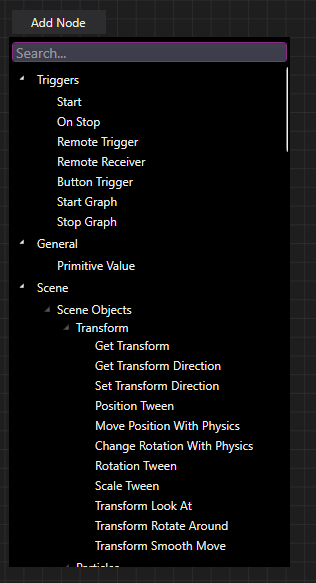
All Node Categories
Integrations
Connects to the Tools You Already Use
OverMox integrates with your favorite streaming platforms, software, and hardware out of the box.
Streaming Platforms
Full integration with Twitch API events and YouTube Live events. React to subs, follows, donations, and more.
Streaming Software
Works seamlessly with your existing setup. Capture OverMox output directly in your streaming software.
Hardware
Connect physical controls to your scenes. Trigger effects, switch scenes, and control parameters with hardware.
Capture
Bring in live video feeds from capture devices. Apply chroma key (green screen) and filters for seamless compositing.
Web
Make HTTP requests and connect to any web API. Pull in data from external services to drive your overlays.
Developer API
For developers, tool builders, and AI agents
No code required is the promise, and it does not change. But for anyone who wants to script it, the ceiling is gone.
Under the no-code editor sits a full local API with three layers: Graph CRUD to build node graphs in code, around 150 Direct Actions to fire capabilities one-shot, and 18 real-time WebSocket events to stream and react.
It reaches far beyond the 3D scene: files, HTTP and webhooks, MIDI, Stream Deck, streaming platform events, child processes, and NDI / Spout output. And it is self-describing: a served llms.txt lets Claude Code, Codex, Cursor, Antigravity, or Windsurf orient themselves and start driving it.
curl http://localhost:5000/llms.txt # the machine-readable front door for AI agents200+ operations on http://localhost:5000, loopback by default, token-gated, no cloud account.
FAQ
Common Questions
Everything you need to know about OverMox.
What is OverMox?
OverMox is a realtime 3D effects and overlay engine for content creators and live streamers. It lets you build full 3D scenes with physics, particles, lighting, and interactive elements that react to your stream in real time - no coding required.
Do I need to know how to code?
No. OverMox uses a node-based visual scripting system called the Controller. You design complex behaviors by connecting nodes in a flowchart-style graph - if you can connect boxes with lines, you can build interactive 3D stream effects.
How is this different from OBS overlays?
Traditional overlay tools use 2D templates and pre-built widgets. OverMox is a full realtime 3D engine - think physics, particles, lighting, and interactive elements that respond to stream events. It's the middle ground between simple overlay tools and AAA game engines.
What streaming platforms does it support?
OverMox integrates with Twitch API events and YouTube Live events. It works with OBS, Streamlabs, and StreamElements via capture and output, and supports Stream Deck and MIDI hardware.
What are the system requirements?
OverMox requires Windows 11 x64, a modern gaming GPU, 16GB+ RAM recommended, and a 1920x1080 display recommended. OverMox runs on a game engine, so if you're gaming on the same machine, that's two engines fighting for your GPU. A dual PC streaming setup helps a lot.
What does visual scripting mean?
Visual scripting means building logic and interactivity by connecting nodes in a graph instead of writing code. The Controller provides 20+ categories of nodes (from animations and audio to Twitch triggers and web APIs) that you connect together to create complex stream behaviors.
Ready to Build Something Amazing?
Download OverMox and start creating stunning 3D stream visuals today. Available now in Extra Early Access.