Misc
Miscellaneous nodes cover the odds and ends that don’t fit a single category: logging for debugging, date and time values, filter and output configuration, and notes for documenting your graphs.
ConsoleLog
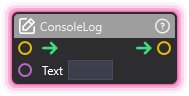
Section titled “ConsoleLog”💡 Simple Explanation: Logs messages for debugging. Writes to console for monitoring.
⚙️ Technical Description: Synchronous node that outputs text messages to the RuntimeConsole for debugging and monitoring purposes.
🔍 Full Details & Examples
🔧 How It Works: Outputs text to the console and OverMoxController for debugging and monitoring.
✨ Perfect For:
- Debugging graphs
- Monitoring values
- Troubleshooting issues
👉 Inputs:
Text(String) - Text to log
🎬 Streaming Example: “Log donation amounts to track totals.”
🎯 Tips: Great for troubleshooting. Check console window for output.
DateTime
Section titled “DateTime”💡 Simple Explanation: Provides current date and time. Time-based logic and scheduling.
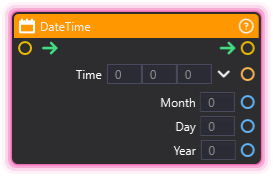
⚙️ Technical Description: Synchronous node that retrieves DateTime.Now and outputs time (as Vector3), month, day, and year values.
🔍 Full Details & Examples
🔧 How It Works: Outputs current system date/time when executed.
✨ Perfect For:
- Time-based triggers
- Scheduling
- Time displays
👈 Outputs:
Time(Vector3) - Hour, minute, secondMonth(Integer) - Current monthDay(Integer) - Current dayYear(Integer) - Current year
🎬 Streaming Example: “Show different overlays based on time of day.”
🎯 Tips: Time in Vector3 for easy access. Updates each execution.
EditFilter
Section titled “EditFilter”💡 Simple Explanation: Modifies visual filter properties. Adjust chroma key, color correction, effects.
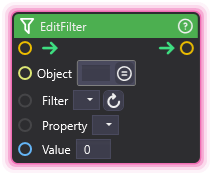
⚙️ Technical Description: Synchronous node that sets filter properties on assets, enabling dynamic adjustment of visual effects like chroma key and color correction.
🔍 Full Details & Examples
🔧 How It Works: Changes filter properties on assets that support filtering.
✨ Perfect For:
- Dynamic chroma key adjustments
- Color correction
- Visual effects
👉 Inputs:
asset(Asset) - Target asset with filtersfilter_name(String) - Name of the filter to editproperty_name(String) - Property to changevalue(Any) - New value for the property
🎬 Streaming Example: “Adjust chroma key threshold based on lighting.”
🎯 Tips: Only works with filter-supporting assets. Property names must match exactly.
EditOutput
Section titled “EditOutput”💡 Simple Explanation: Configures stream output settings. Resolution, FPS, Spout/NDI output.
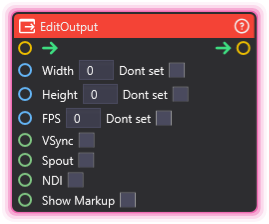
⚙️ Technical Description: Synchronous node that controls OutputManager settings including resolution, framerate, VSync, and streaming protocol outputs (Spout, NDI, markup).
🔍 Full Details & Examples
🔧 How It Works: Changes application output configuration including resolution, framerate, and streaming protocols.
✨ Perfect For:
- Dynamic output configuration
- Multi-protocol streaming
- Resolution switching
👉 Inputs:
Width(Integer, optional) - Output width in pixelsHeight(Integer, optional) - Output height in pixelsFPS(Integer, optional) - Frames per secondVSync(Boolean) - Enable VSyncSpout(Boolean) - Enable Spout outputNDI(Boolean) - Enable NDI outputShow Markup(Boolean) - Enable markup overlay
🎬 Streaming Example: “Switch to 1080p60 when going live, 720p30 for testing.”
🎯 Tips: Spout for OBS integration. NDI for network streaming. VSync for smoother output.
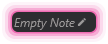
💡 Simple Explanation: Adds notes to your graph with live variable interpolation. Document your graphs and show variable values.
⚙️ Technical Description: Display node that supports string interpolation, allowing variable values to be referenced and displayed inline using curly brace syntax.
🔍 Full Details & Examples
🔧 How It Works: Creates a note in your graph that can display static text or dynamically interpolate variable values using {VariableName} syntax.
✨ Perfect For:
- Documenting graph sections
- Displaying live variable values for debugging
- Adding context and explanations to complex graphs
👉 Inputs:
Note(Note) - Note text with variable interpolation
Interpolation Syntax:
{VariableName}- Insert variable value{VectorVar.X}- Access nested properties{ArrayVar[2]}- Access 1D array elements{ArrayVar[2][3]}- Access 2D array elements{ArrayVar[IndexVar]}- Use variable as index\{escaped\}- Use backslash to show literal braces
🎬 Streaming Example: “Create a note showing ‘Total Donations: {TotalDonations}’ that updates in real-time as donations come in.”
🎯 Tips: Escape special characters with backslash \ if you want to show literal braces. Notes update automatically when referenced variables change.
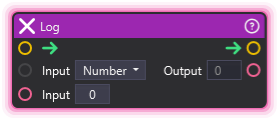
💡 Simple Explanation: Logs messages for debugging. Writes to console for monitoring.
⚙️ Technical Description: Synchronous node that outputs text messages to the RuntimeConsole for debugging and monitoring purposes. Alias for ConsoleLog.
🔍 Full Details & Examples
🔧 How It Works: Outputs text to the console and OverMoxController for debugging and monitoring.
✨ Perfect For:
- Debugging graphs
- Monitoring values
- Troubleshooting issues
👉 Inputs:
Text(String) - Text to log
🎬 Streaming Example: “Log event triggers to verify graph execution.”
🎯 Tips: Same as ConsoleLog - use whichever name you prefer. Check console window for output.